 By
By AI Photo Booth Template Generator in Social Booth
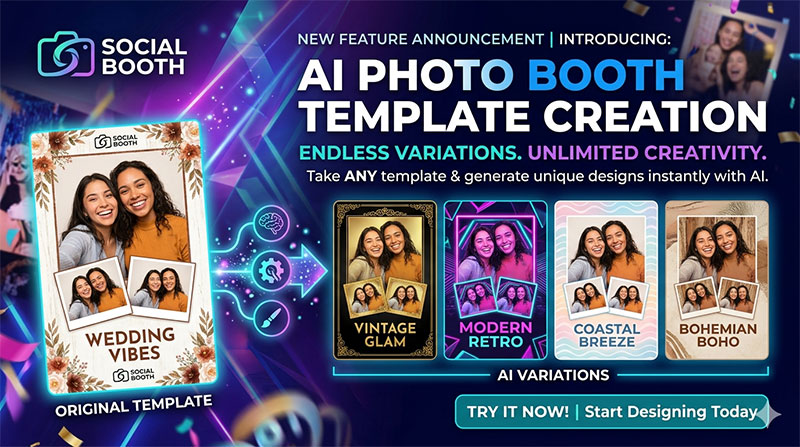
Introducing AI Photo Booth Template Creation
Let’s be honest: designing a brand new, highly specific photo booth template for every single client can be a massive time sink. Between finding the right assets, wrestling with layers, and making sure the photo drop zones are perfectly aligned, it’s a lot of work.
What if you could take a single, blank layout and instantly transform it into literally any theme your client wants?
Welcome to the newest feature in Social Booth: AI Photo Booth Template Creation.
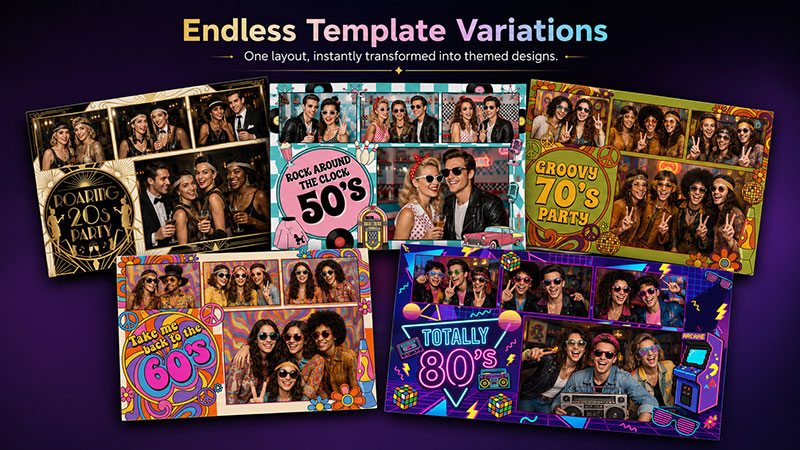
One Layout. Endless Variations.
With our new AI integration, your blank templates are now a blank canvas with unlimited potential. You provide the standard photo layout—whether that’s a classic 4-photo strip, a single postcard shot, or a 3-photo square—and let the AI do the heavy lifting for the background and decor.
How the Magic Works
We’ve built a streamlined AI Template Prompt Builder right into the Social Booth interface. You don't need to be a prompt engineer or a Photoshop wizard to get professional results.
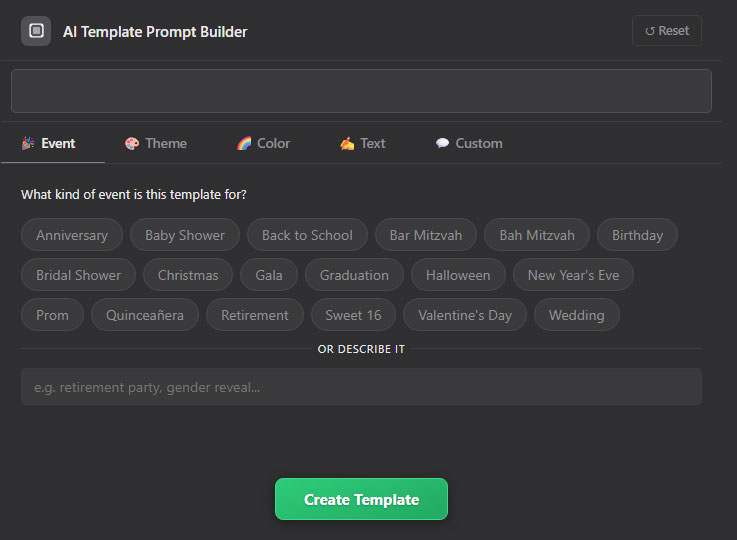
3 Simple Steps.
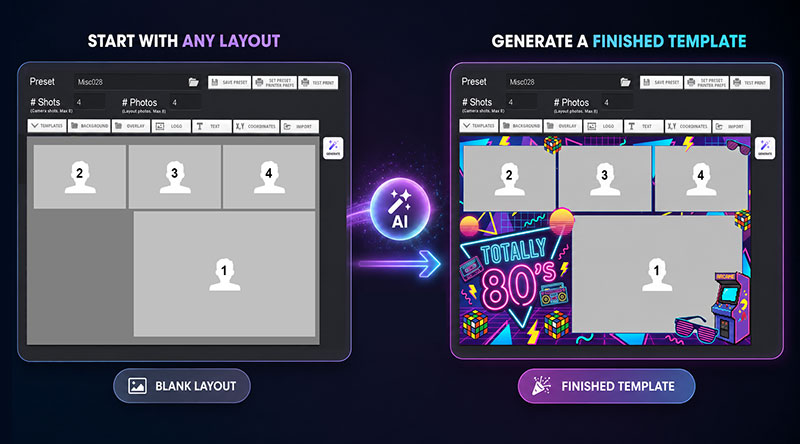
- Step 1: Select Your Layout: Start with any standard, blank photo configuration.
- Step 2: Launch the Prompt Builder: Tell the AI what kind of event it is (Wedding, Birthday, Gala), the specific theme, the color palette, and the vibe.
- Step 3: Generate: Watch as the AI builds a stunning design perfectly fitted around your photo boxes. It even generates png overlays for more interesting designs!
Breathe New Life Into Existing Templates
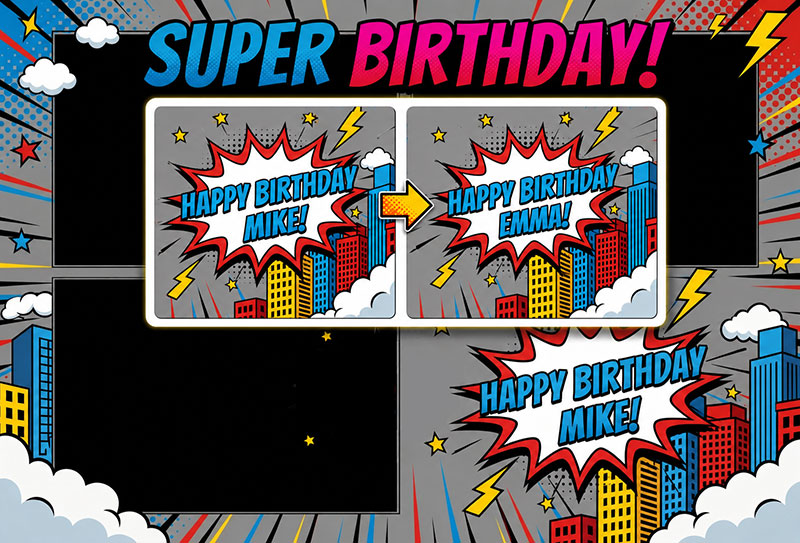
AI Template Creation isn’t just for blank layouts. You can also take any existing design in your library and seamlessly modify its style, colors, and text to fit a brand new event.
Whether you need to make a simple update—like swapping out a couple's name and the date for a wedding—or you want to completely overhaul a specific theme to match a new aesthetic, the AI adapts your existing designs on the fly. It’s the ultimate way to maximize the templates you already own and turn one great layout into dozens of different concepts.
Need a Completely Custom Layout?
Sometimes a standard 3-photo or 4-photo strip just won't cut it. What if your client wants a highly specific configuration?
With our advanced Custom Prompt Builder, you are no longer limited to the presets in your library. You can describe exactly how many photo placeholders you need and where they should go. The AI will generate both the design and the placeholder coordinates.
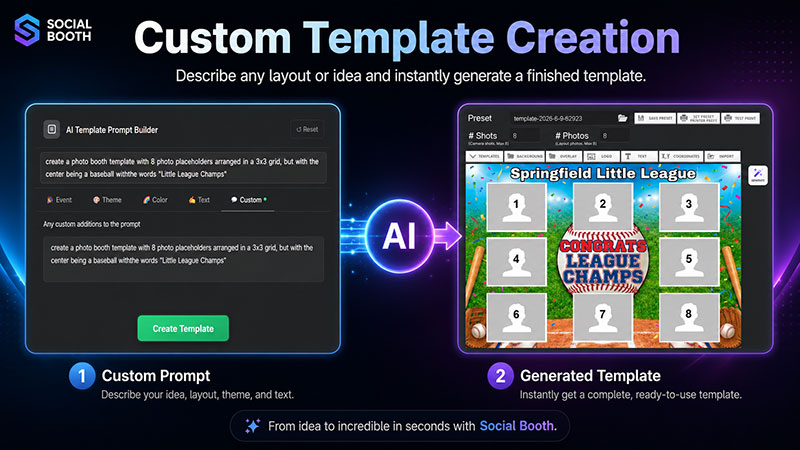
It’s like having a dedicated graphic designer sitting right next to you, ready to build complex, multi-photo templates on command.
Never Say “No” to a Theme Again
From classic weddings and elegant corporate galas to niche birthday parties and vibrant holiday celebrations, whatever wild or specific aesthetic your clients dream up, you can generate it on the spot.
Key benefits of AI Template Creation:
- Save Hours of Design Time: Generate custom graphics in seconds, not hours.
- Zero Graphic Design Skills Required: No need to source external clipart or build complex backgrounds from scratch.
- Infinite Customization: Effortlessly pivot from “Coastal Breeze” to “Bohemian Boho” to “Vintage Glam” to present your clients with multiple options instantly.
- Perfectly Preserved Drop Zones: The AI wraps the design around your specific layout, ensuring your guests' photos always fit perfectly into the final print.
Ready to Supercharge Your Workflow?
Stop starting from scratch and start exploring endless creative possibilities. Open up Social Booth, load up a preset, hit the new Generate button, and see where your creativity takes you today!