 By
By Create a Doodle Twin AI Effect in Social Booth
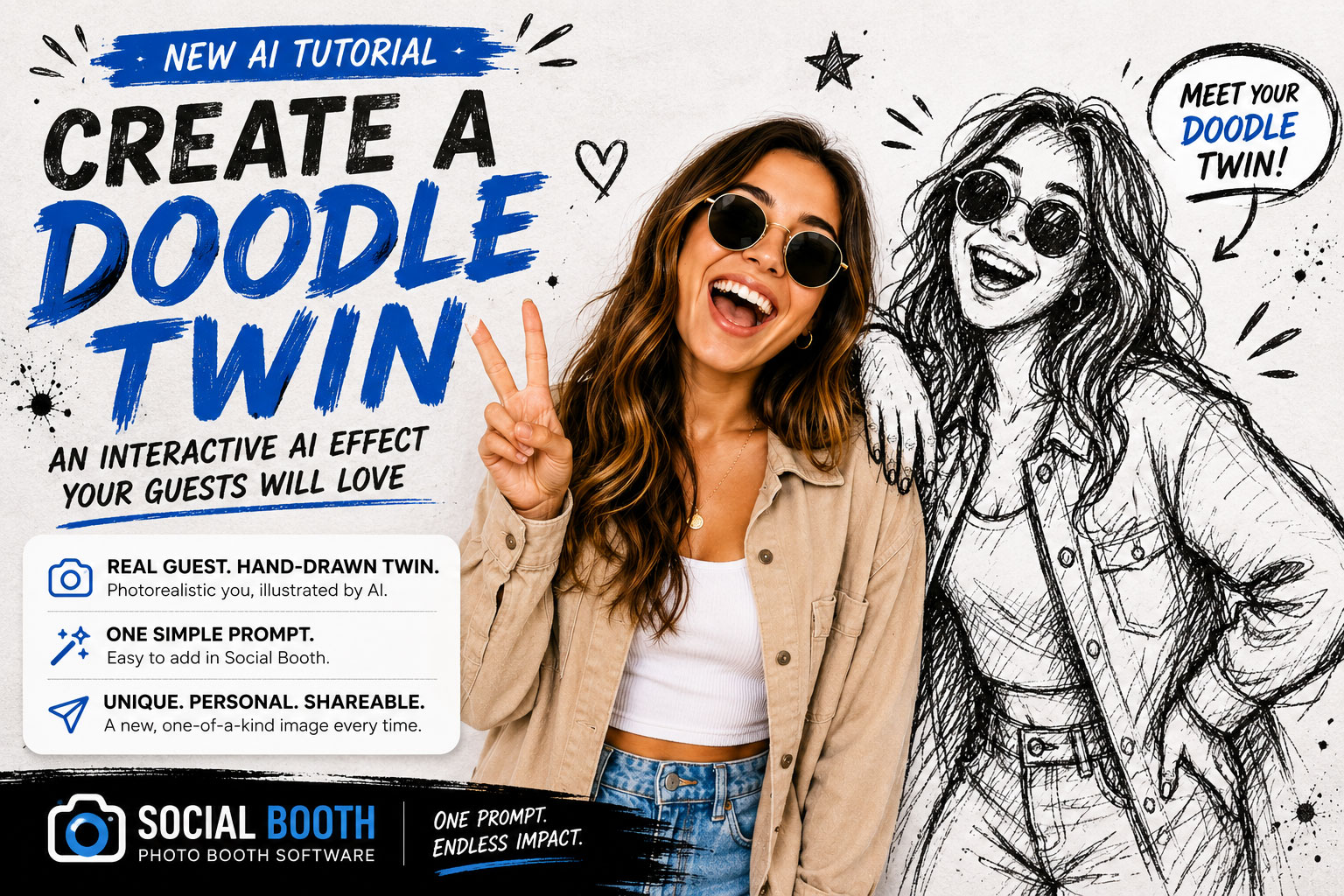
Looking for a fresh AI photo booth effect that guests will immediately want to share?
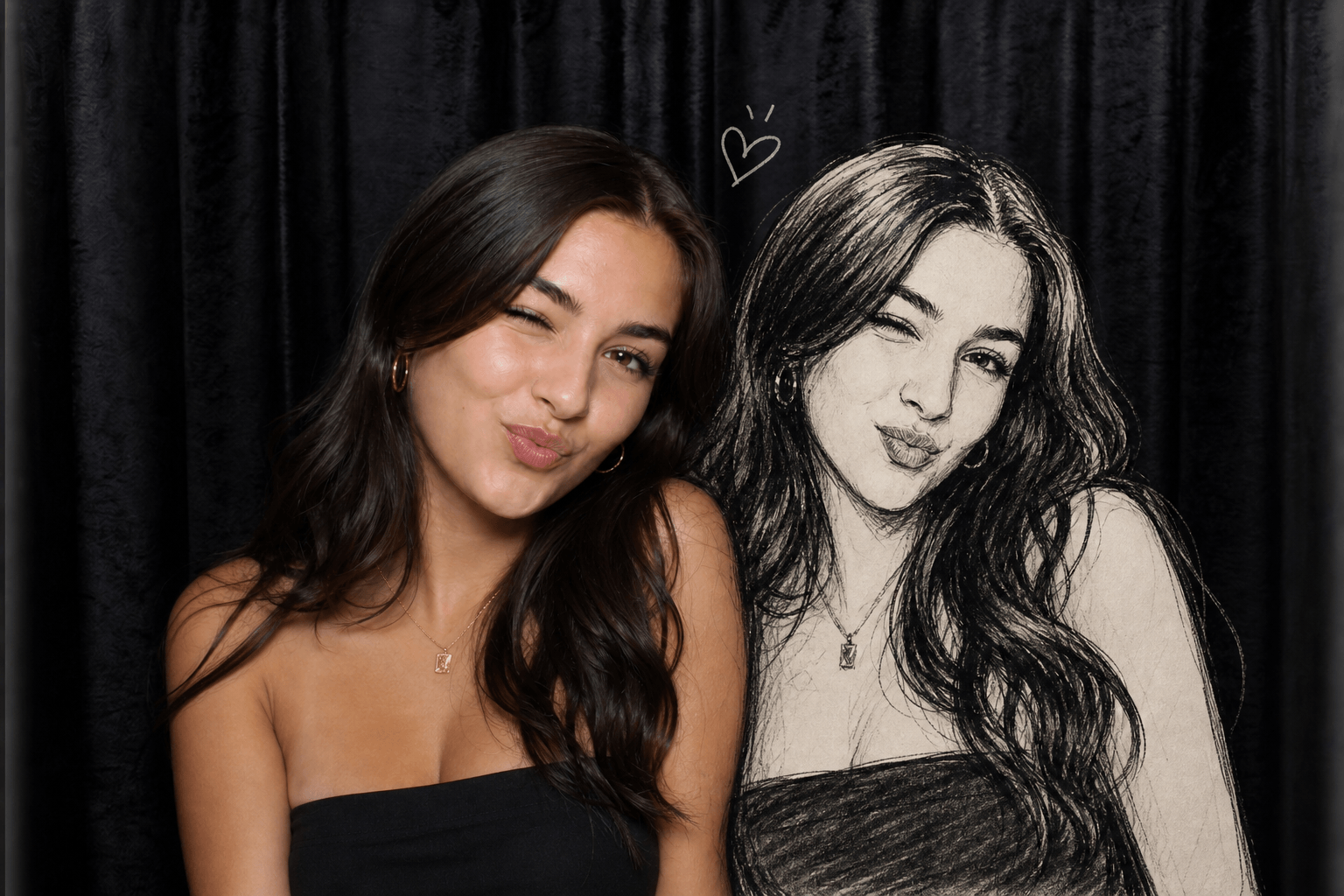
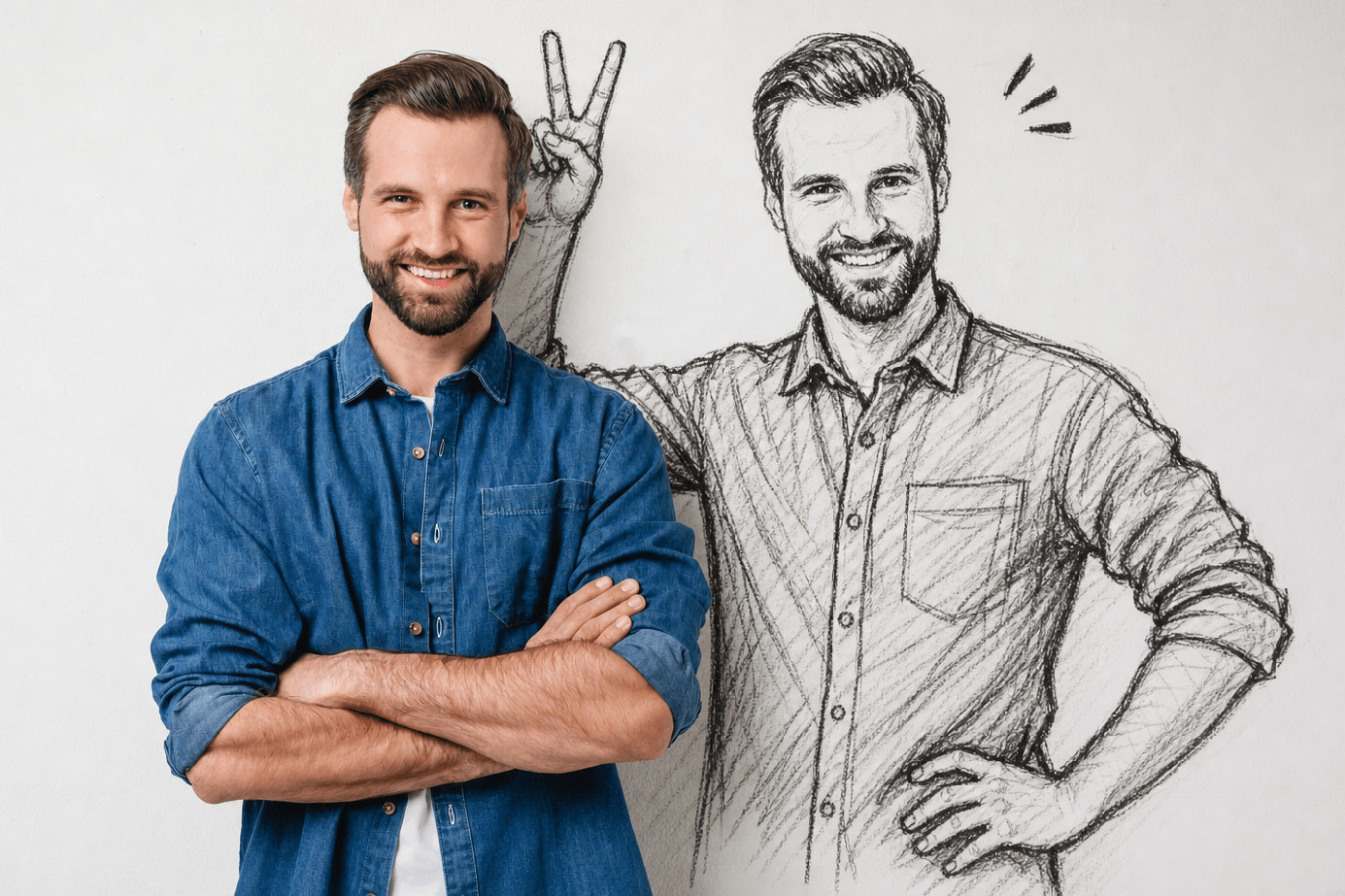
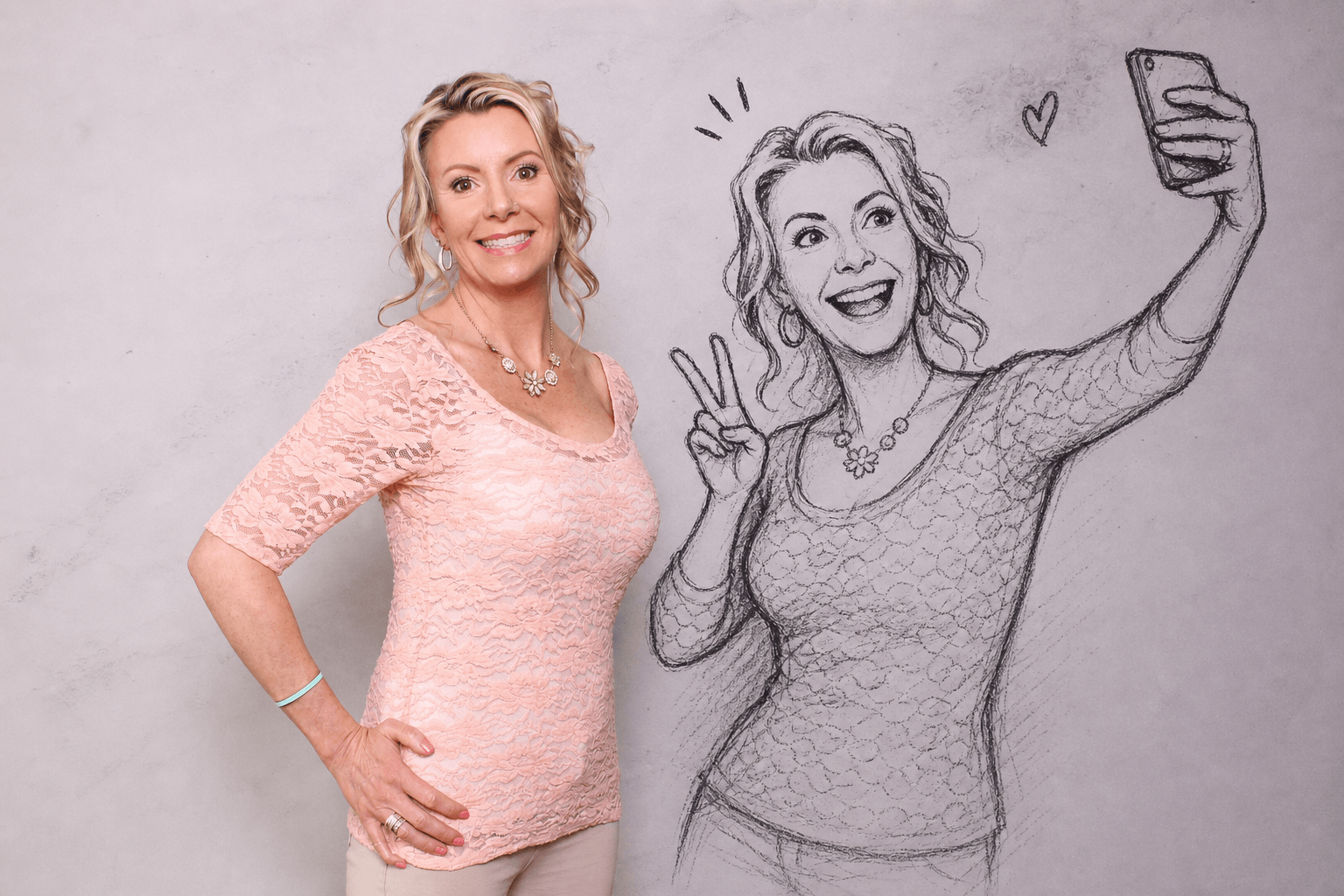
This custom Social Booth AI effect transforms an ordinary event photo into a photorealistic scene featuring the real guest alongside a hand-drawn doodle version of themselves.
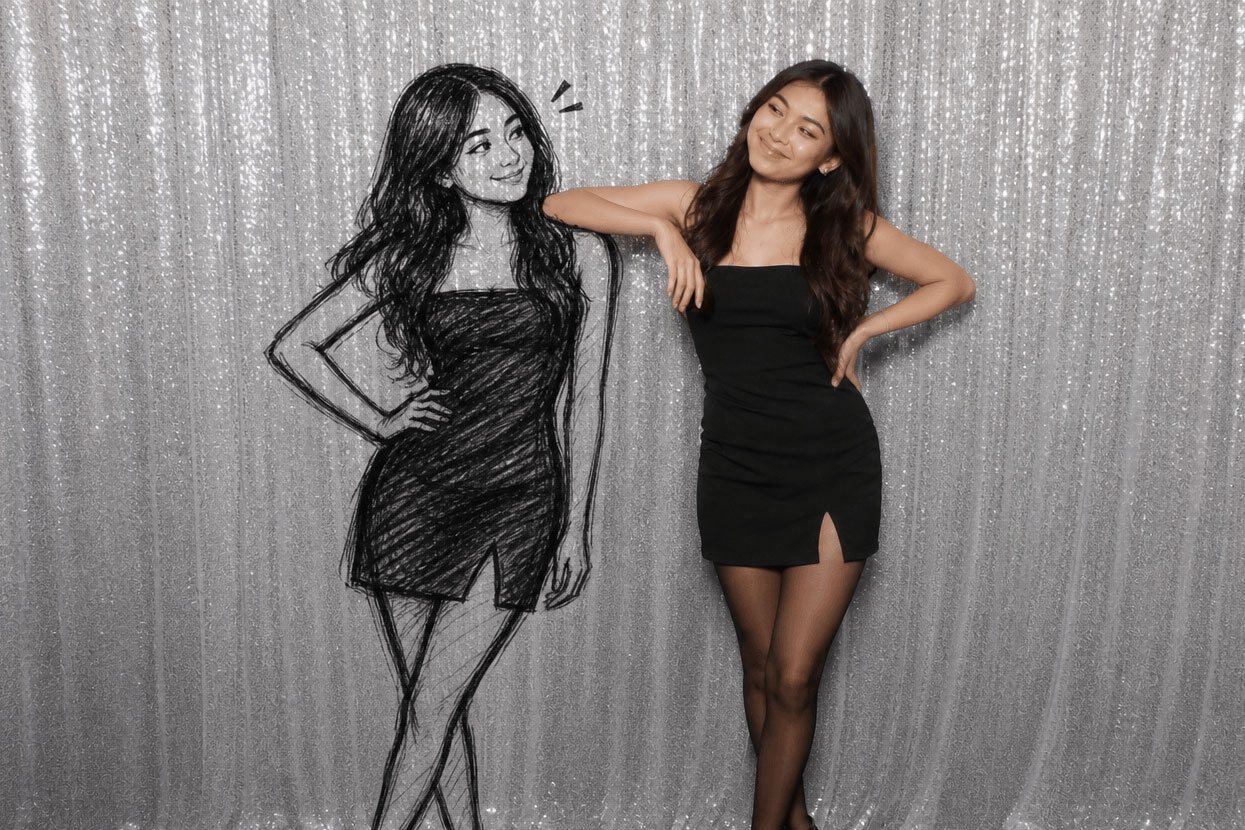
The doodle twin matches the guest’s face, hairstyle, and outfit while interacting with them inside the original scene. The result feels like the guest has stepped into a live illustration—part real photograph, part comic artwork.
A Photo Booth Effect Guests Haven’t Seen Everywhere
Many AI photo effects completely replace the original image with a new fantasy scene. This effect takes a different approach.
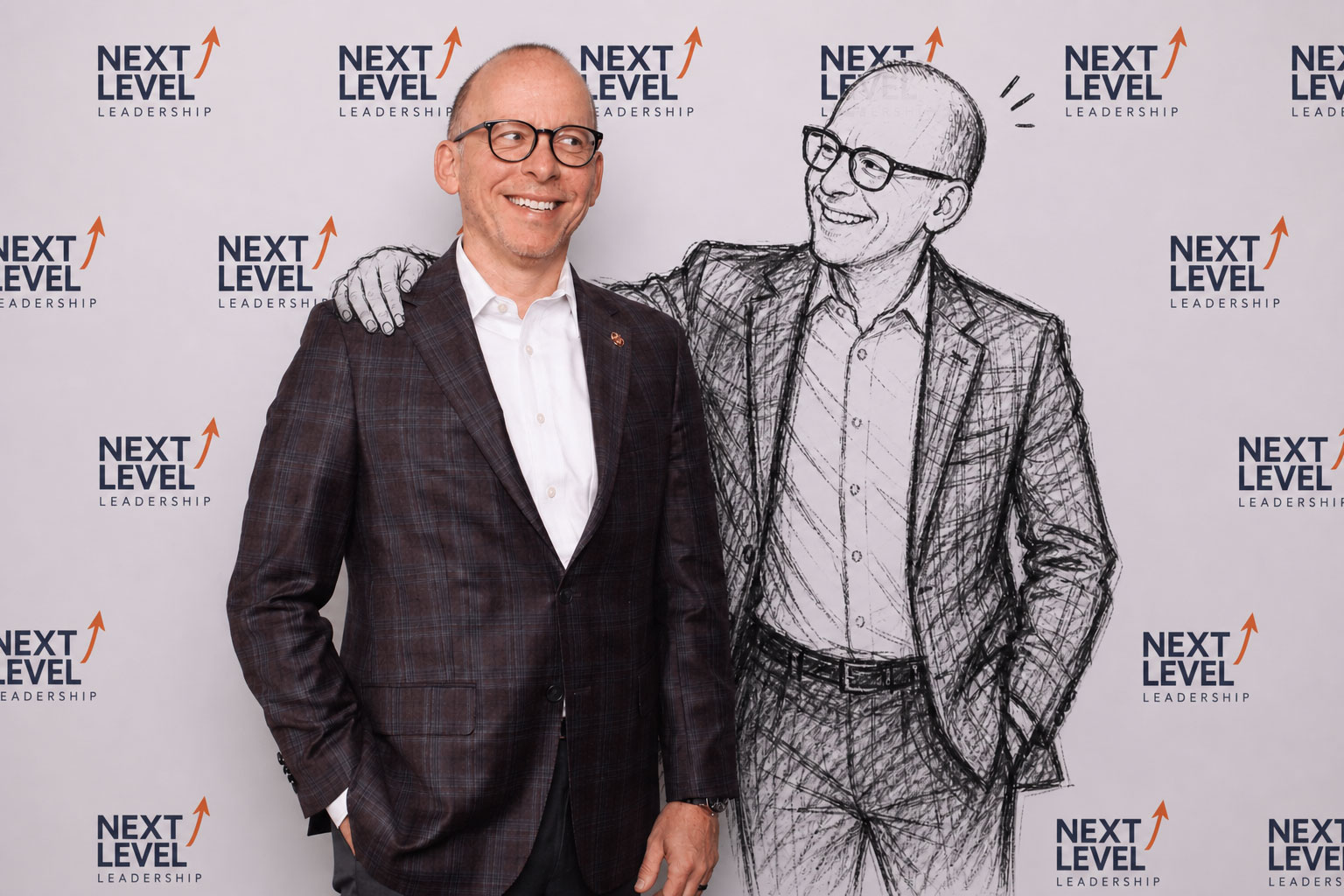
The guest remains recognizable and photorealistic while a rough black-ink or charcoal twin appears beside them. Because the illustrated character resembles the guest and interacts with them, each result feels personalized rather than generated from a generic template.
Depending on the guest’s pose, the doodle twin might:
- Stand beside the guest with a playful expression
- Lean against or interact with the real subject
- React to the guest’s pose
- Mirror the guest in a loose, artistic way
- Add small comic-style motion or reaction marks
Every image is different, making the experience especially fun at weddings, corporate events, school functions, brand activations, birthday parties, and other special events.
The Doodle Twin Prompt
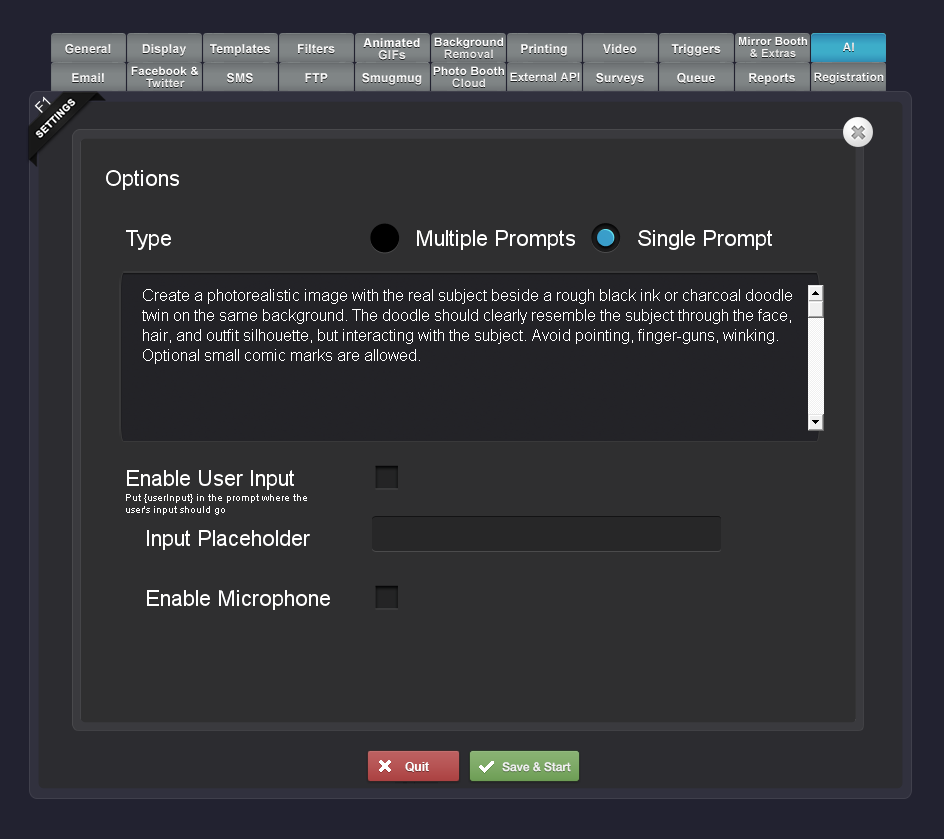
The entire effect is created using one simple custom prompt:
Create a photorealistic image with the real subject beside a rough black ink or charcoal doodle twin on the same background. The doodle should clearly resemble the subject through the face, hair, and outfit silhouette, but interacting with the subject. Avoid pointing, finger-guns, winking. Optional small comic marks are allowed.
This prompt gives the AI enough creative freedom to produce a unique interaction while still providing clear instructions about the appearance of the guest, the doodle style, and the overall composition.
The instruction to keep the real subject photorealistic helps preserve the original photo booth look. Asking the illustrated twin to resemble the guest through their face, hair, and clothing silhouette makes the result feel personal.
We also included a few pose restrictions to reduce repetitive AI gestures such as pointing, finger-guns, and winking.
How to Add the Effect in Social Booth
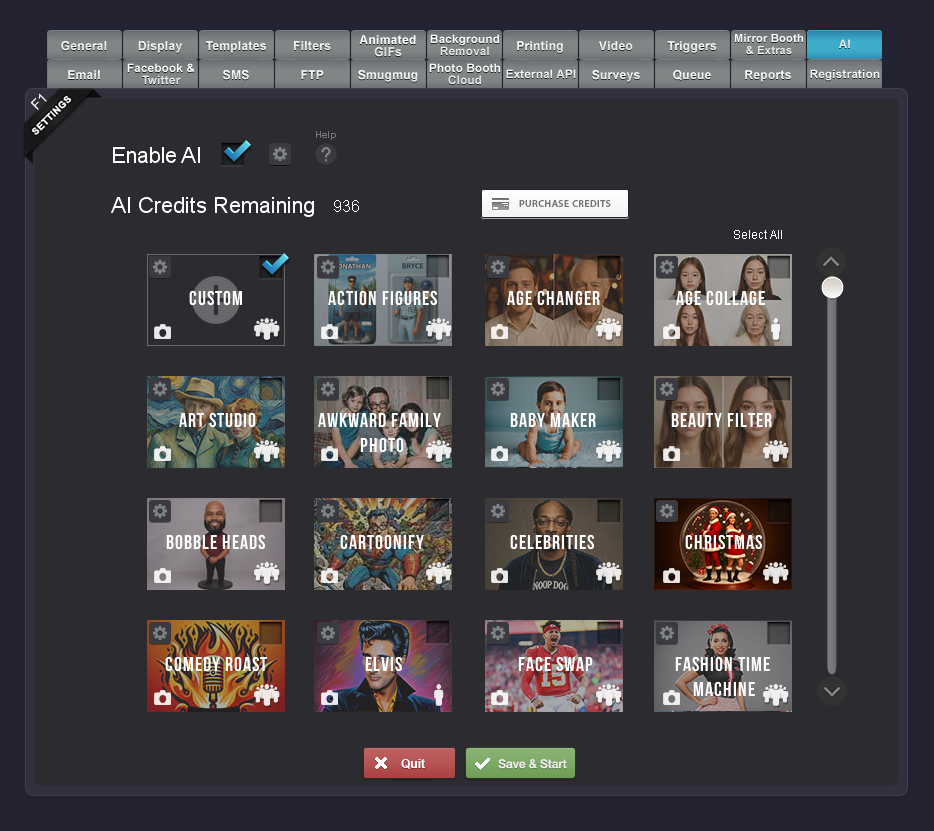
1. Open the AI Effects Settings
Open your Social Booth event and navigate to the section where you configure AI Effects.
2. Paste in the Custom Prompt
Copy and paste the following text into the custom prompt field:
Create a photorealistic image with the real subject beside a rough black ink or charcoal doodle twin on the same background. The doodle should clearly resemble the subject through the face, hair, and outfit silhouette, but interacting with the subject. Avoid pointing, finger-guns, winking. Optional small comic marks are allowed.
No complicated prompt building or advanced AI knowledge is required. The description tells the AI what to preserve, what to create, and how the real and illustrated versions of the guest should interact.
4. Save and Test the Effect
Save the effect and run a few test photos before your event.
Try different types of photos, including:
- One guest centered in the frame
- Two guests standing close together
- Full-body and waist-up compositions
- Guests with distinctive clothing or hairstyles
- Simple and expressive poses
Testing lets you confirm that your lighting, framing, and event background work well with the effect.
5. Make It Available to Guests
Once the effect is enabled, guests can select it as part of the normal Social Booth experience.
Guests take their photo, Social Booth processes it through the custom AI effect, and the finished image is presented for sharing or printing based on your event setup.
A single prompt turns a standard booth photo into a highly personalized piece of AI artwork.
Tips for Better Results
Keep the Subject Clearly Visible
Make sure the guest’s face, hair, and clothing are easy to see. These details give the AI the visual information it needs to create a recognizable illustrated twin.
Leave Some Room Around the Guest
The AI needs space to place the doodle character beside the real subject. Avoid framing guests too tightly against the edge of the image.
Use a Clean, Well-Lit Photo
Good lighting and a clear subject help preserve the photorealistic side of the finished image.
Encourage Natural Poses
Guests do not need to perform a specific pose. Relaxed and expressive photos often give the AI more opportunities to invent a fun interaction between the real guest and the doodle.
Test With Your Actual Event Layout
Backgrounds, overlays, and camera framing can affect the final composition. Run several tests using the same setup you plan to use at the event.
Customize the Prompt for Different Events
The original prompt is ready to use, but it can also be adjusted to match an event’s theme.
For a corporate event, you might change the drawing style to a clean editorial ink illustration. For a children’s event, you could request a colorful crayon twin.
For an elegant wedding, you might use a soft watercolor or fashion-sketch companion. For a comic-themed party, the twin could appear as a bold graphic-novel character with subtle halftone details.
The basic formula remains the same:
- Keep the real guest photorealistic.
- Add an artistic version of the same guest.
- Make the artistic character recognizable.
- Ask the two versions to interact naturally.
Once you understand that structure, you can create an entire collection of custom Social Booth effects using different art styles and materials.
A Simple Prompt With a Big Visual Impact
The Doodle Twin effect shows how easy it is to create memorable AI experiences inside Social Booth.
There are no complicated design files to prepare and no need to manually edit each photo. Add the prompt, test the effect, and let Social Booth create a different personalized result for every guest.
The combination of photography, illustration, and AI makes this effect especially effective for events where guests are looking for something new, playful, and highly shareable.
Add it to your next event and let every guest meet their hand-drawn twin.
Try Custom AI Effects in Social Booth
Social Booth gives photo booth owners the flexibility to create custom AI experiences using simple natural-language prompts.
Use this Doodle Twin prompt as written, customize it for your event, or use it as inspiration for an entirely new effect.